Android close-up inspection

See the detail. Keep the evidence.

A purpose-built Camera2 workspace for inspecting electronics, print, surfaces, components and other close subjects with multi-frame detail reconstruction.

Designed for inspection

A camera interface that stays out of the evidence.

Live focus tools, stable capture and review controls are kept within reach while the subject remains the center of attention.

Multi-frame fusion

Combines aligned frames and safely falls back to the sharpest reference when motion is unreliable.

Inspection aids

Use focus peaking, grid, ruler calibration, exposure control and optional DNG evidence.

Local image control

Captured images remain on your device unless you explicitly choose to share them.

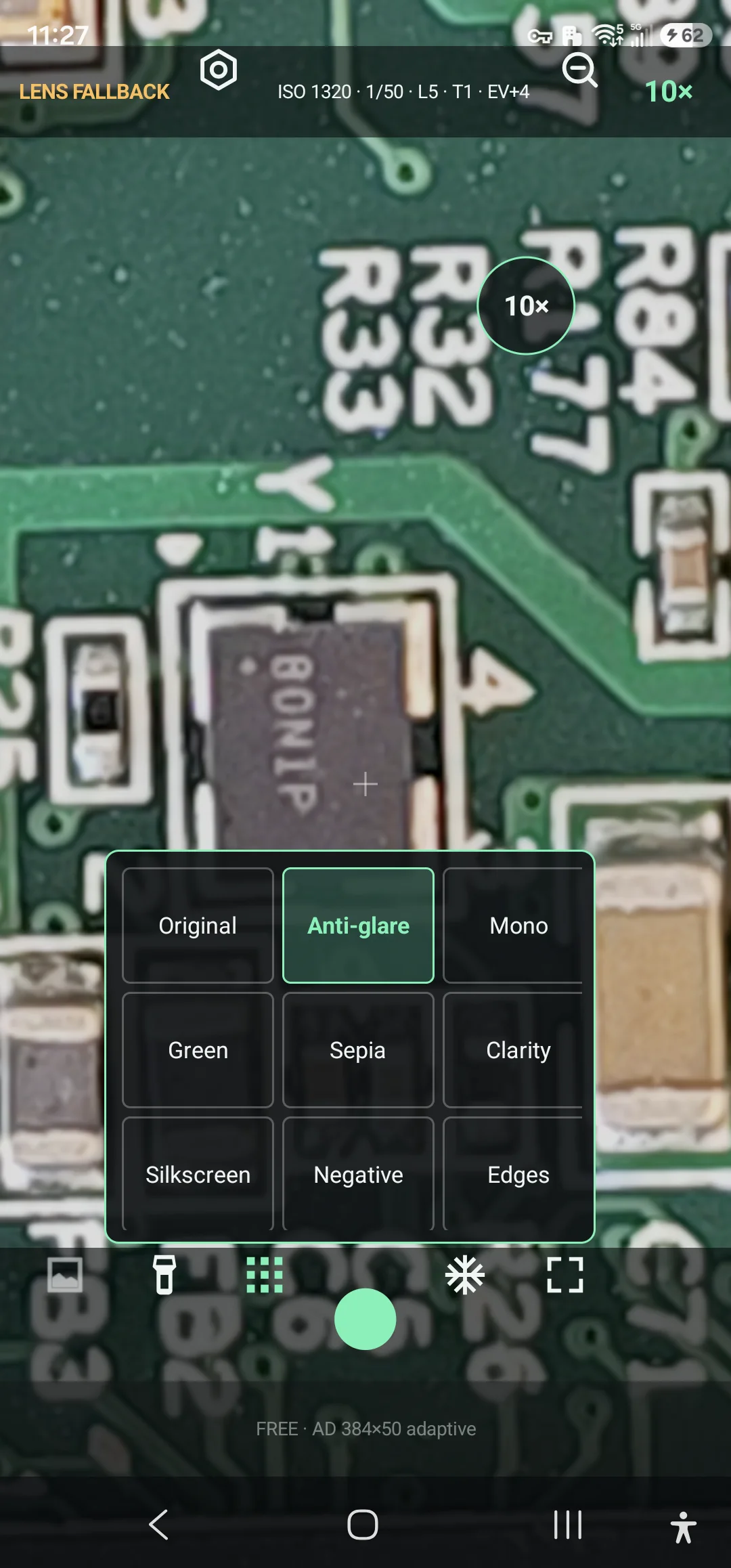
The live image-effects menu over a real PCB under a Samsung Galaxy S23 Ultra camera
Original, anti-glare, mono, clarity, silkscreen and edge views remain available over the live subject.
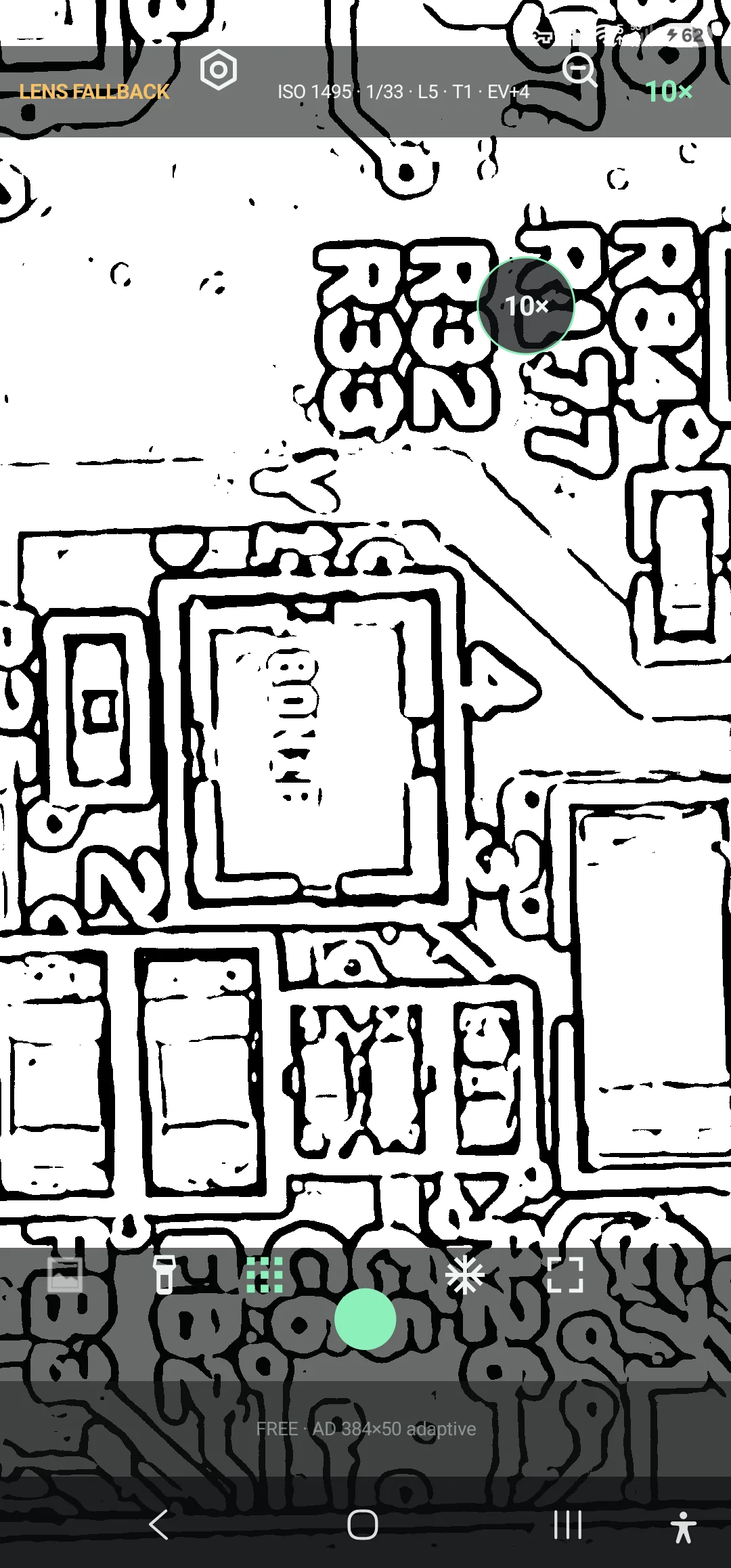
Silkscreen inspection effect applied live to a real PCB on a Samsung Galaxy S23 Ultra
Silkscreen view isolates strong board markings and component outlines in real time.
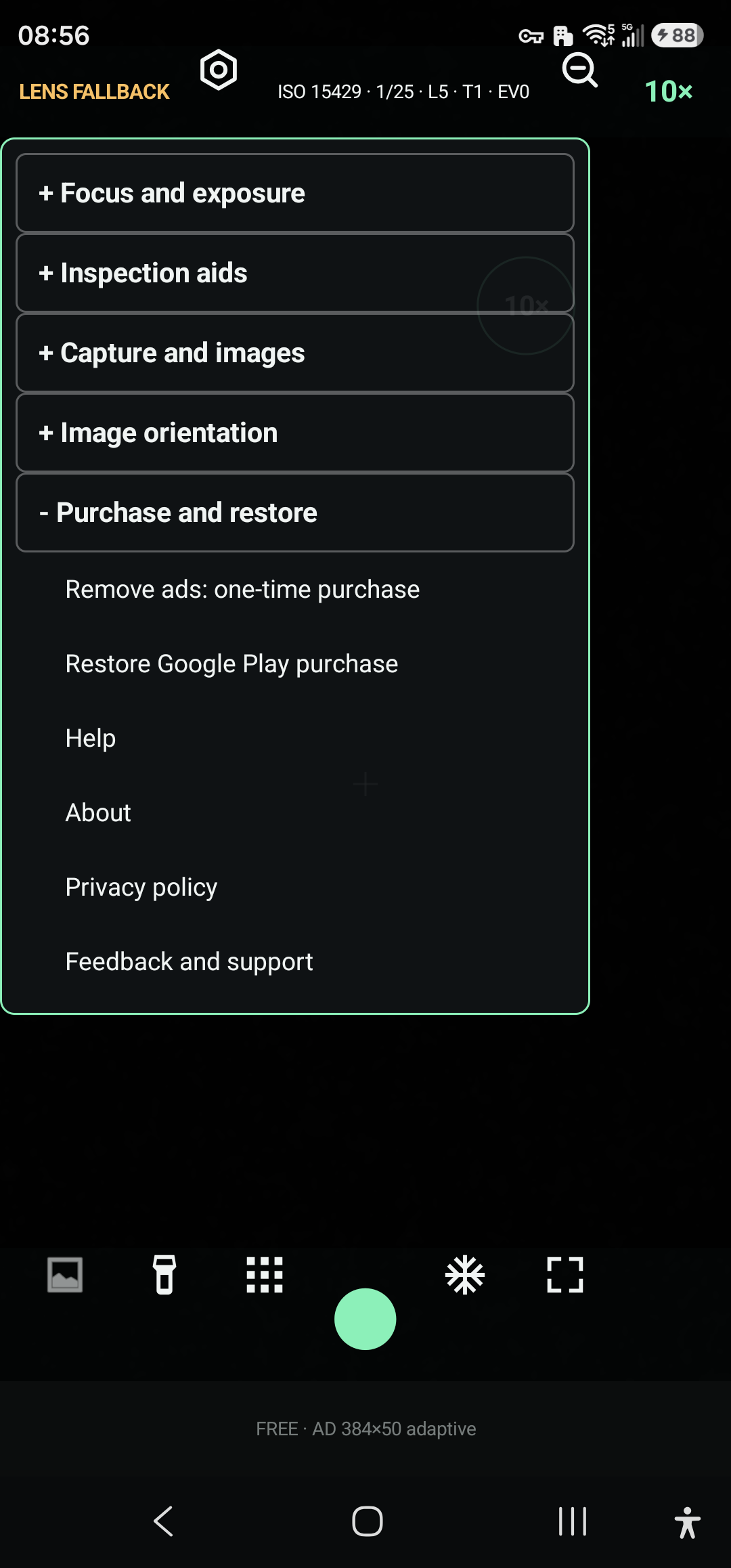
English settings and purchase panel running on a Samsung Galaxy S23 Ultra
Inspection settings, purchase, restore and support controls.
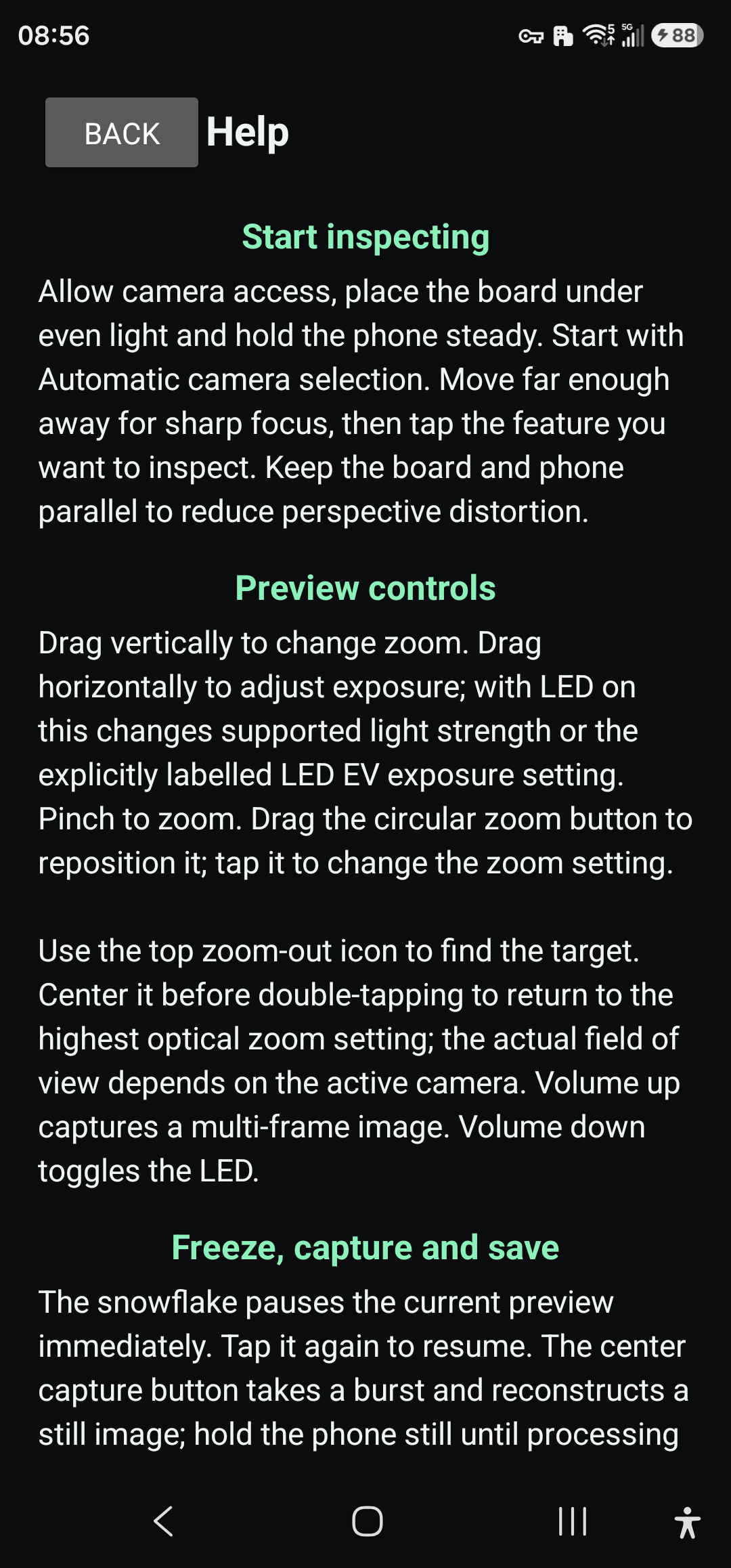
English offline help guide running on a Samsung Galaxy S23 Ultra
The illustrated website is backed by an offline in-app guide.

Real magnification comparison

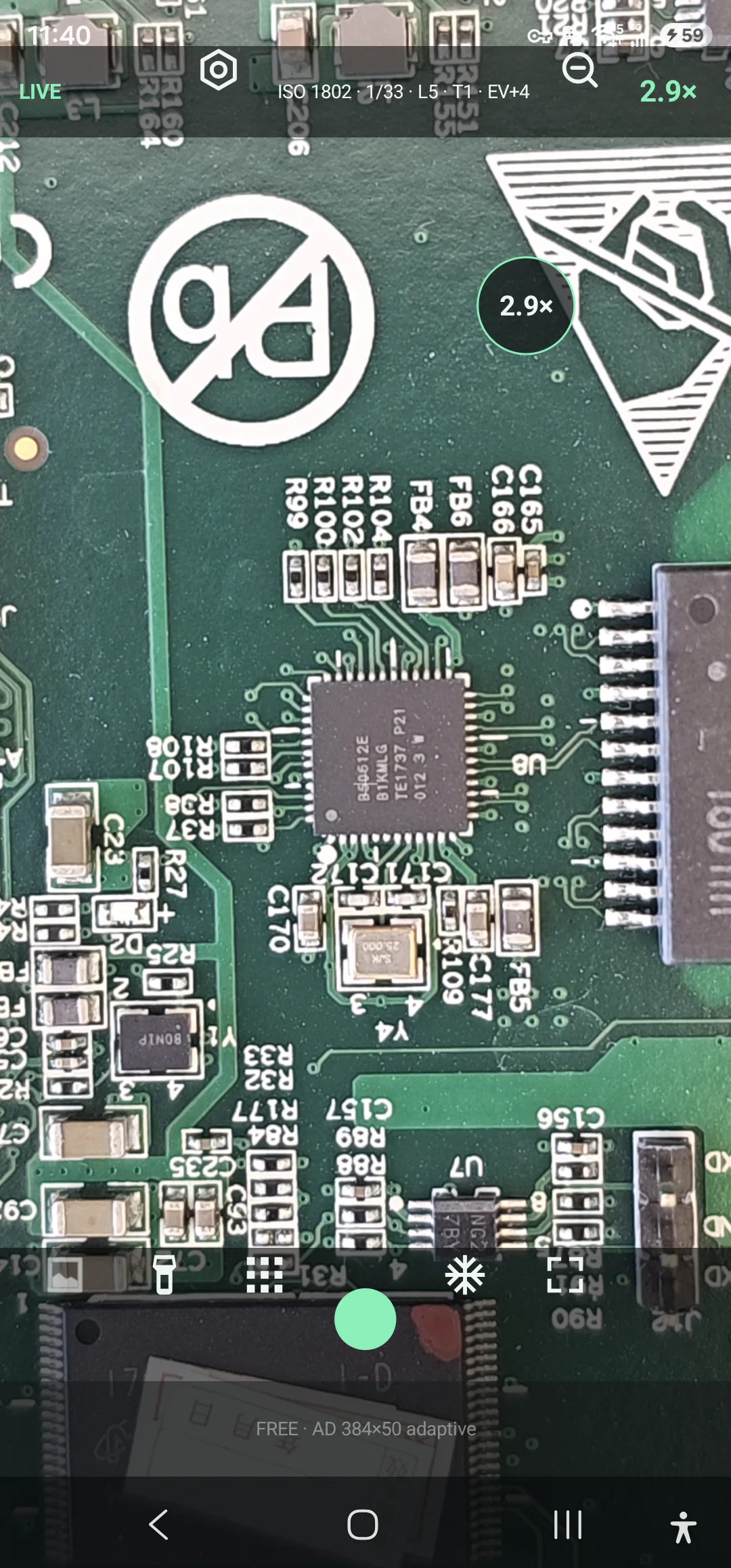
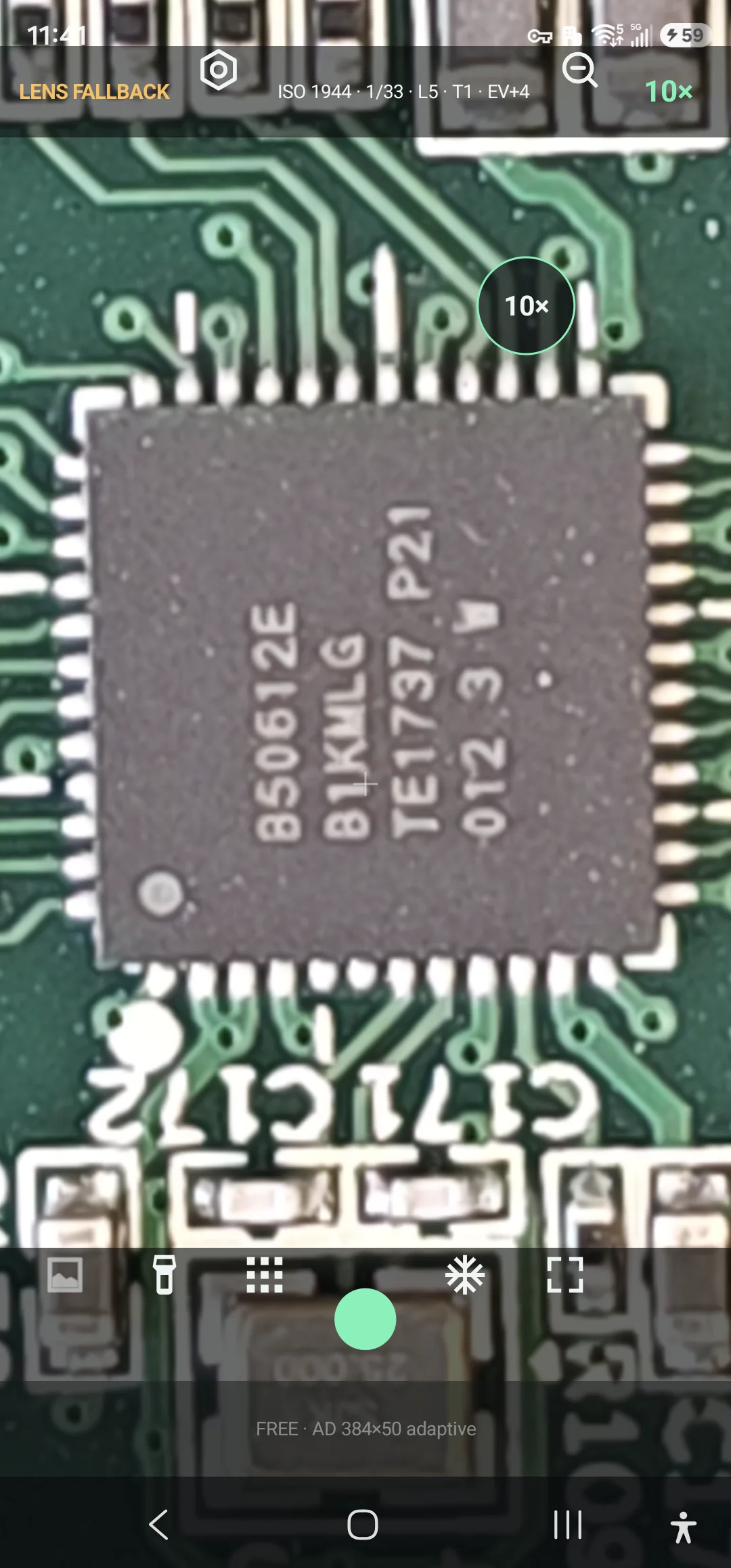
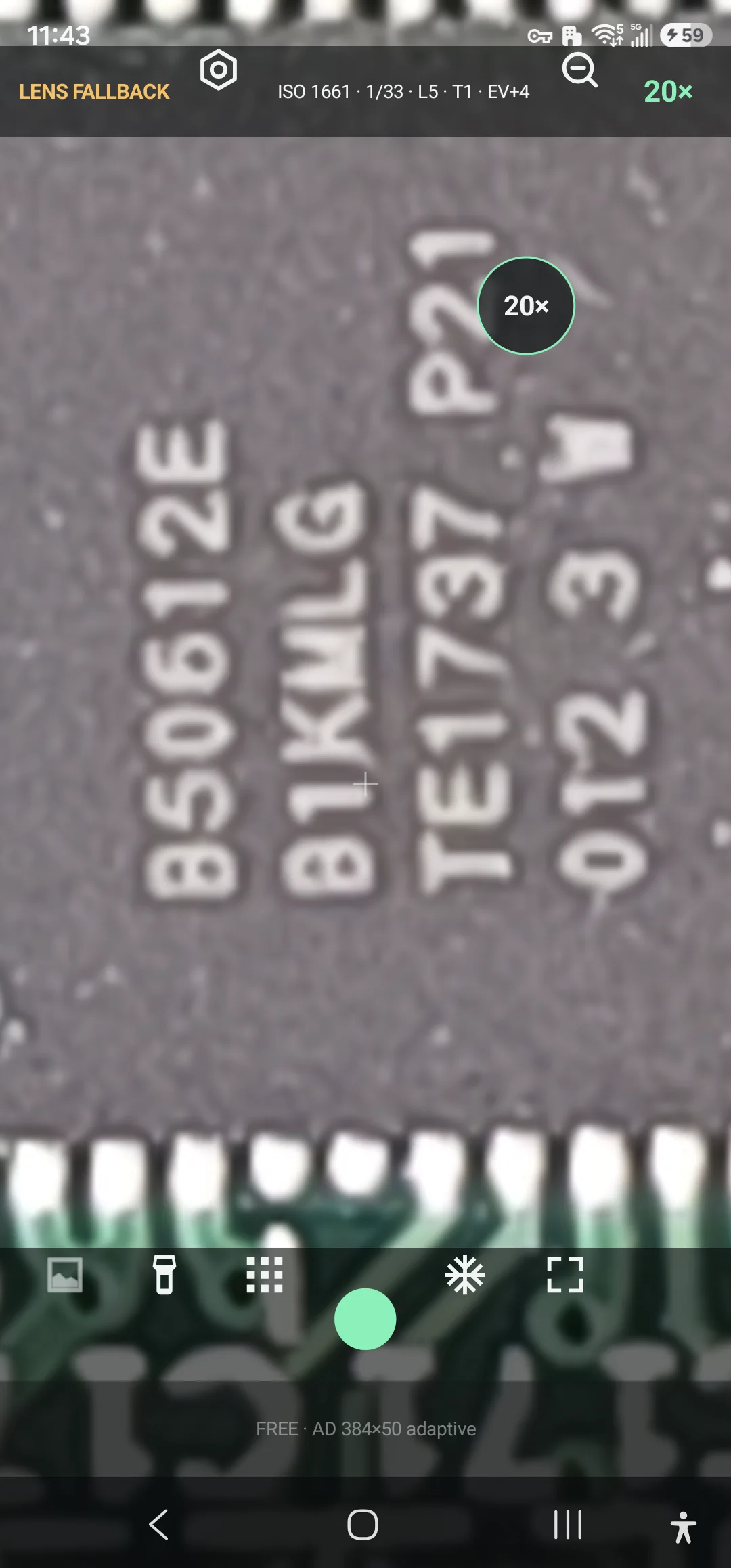
One pinned IC at 3×, 10× and 20×.

Captured directly from the app on a Samsung Galaxy S23 Ultra while a real PCB was under the camera. A hardware-backed 10× optical step is available only when the phone exposes a compatible telephoto camera through Camera2. Other phones may fall back to a different lens. The 20× step enlarges the available optical capture digitally and should not be mistaken for added optical resolution.

Real PCB and pinned integrated circuit inspected at 2.9 times magnification
3× overviewLocate the IC, nearby traces and surrounding components.
Real pinned integrated circuit inspected at the hardware-backed 10 times step on a compatible Samsung Galaxy S23 Ultra
10× on supported hardwareInspect individual pins and package markings when the phone exposes a compatible telephoto camera.
Real pinned integrated circuit shown at 20 times display magnification
20× display zoomEnlarge the live view while respecting the camera's optical limit.

Field guide

From live target to reviewable record.

The controls follow the same sequence as a practical visual inspection: frame, stabilize, enhance, verify and save.

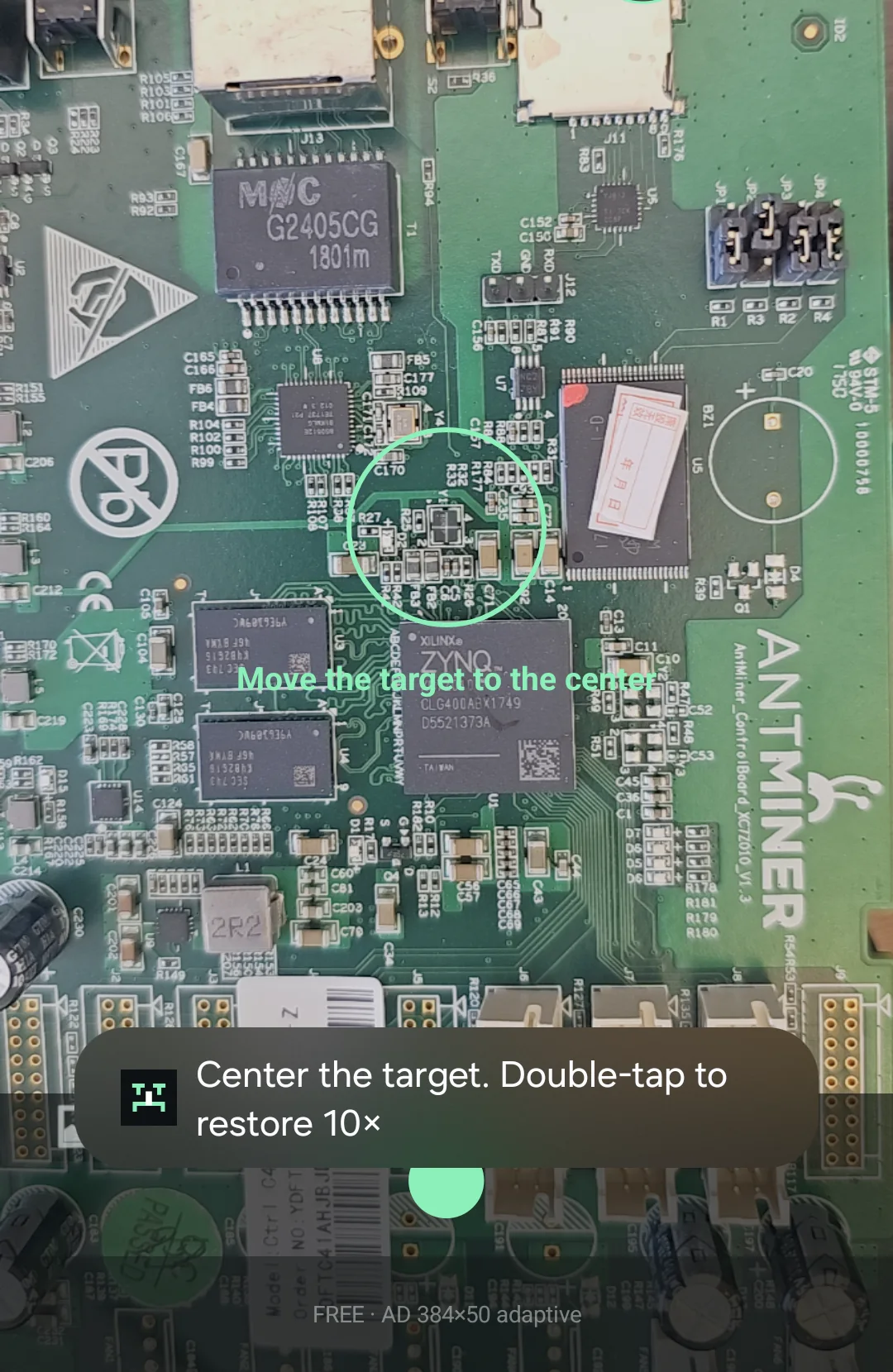
Actual 1× overview of a real Antminer controller PCB on a Samsung Galaxy S23 Ultra
01 / Frame

Find the target at 1×

The overview control temporarily opens the field of view so the real board can be centered before returning to inspection magnification.

  • Actual Samsung Galaxy S23 Ultra interface
  • Center guide keeps the inspection area visible
  • Double-tap restores the highest optical step
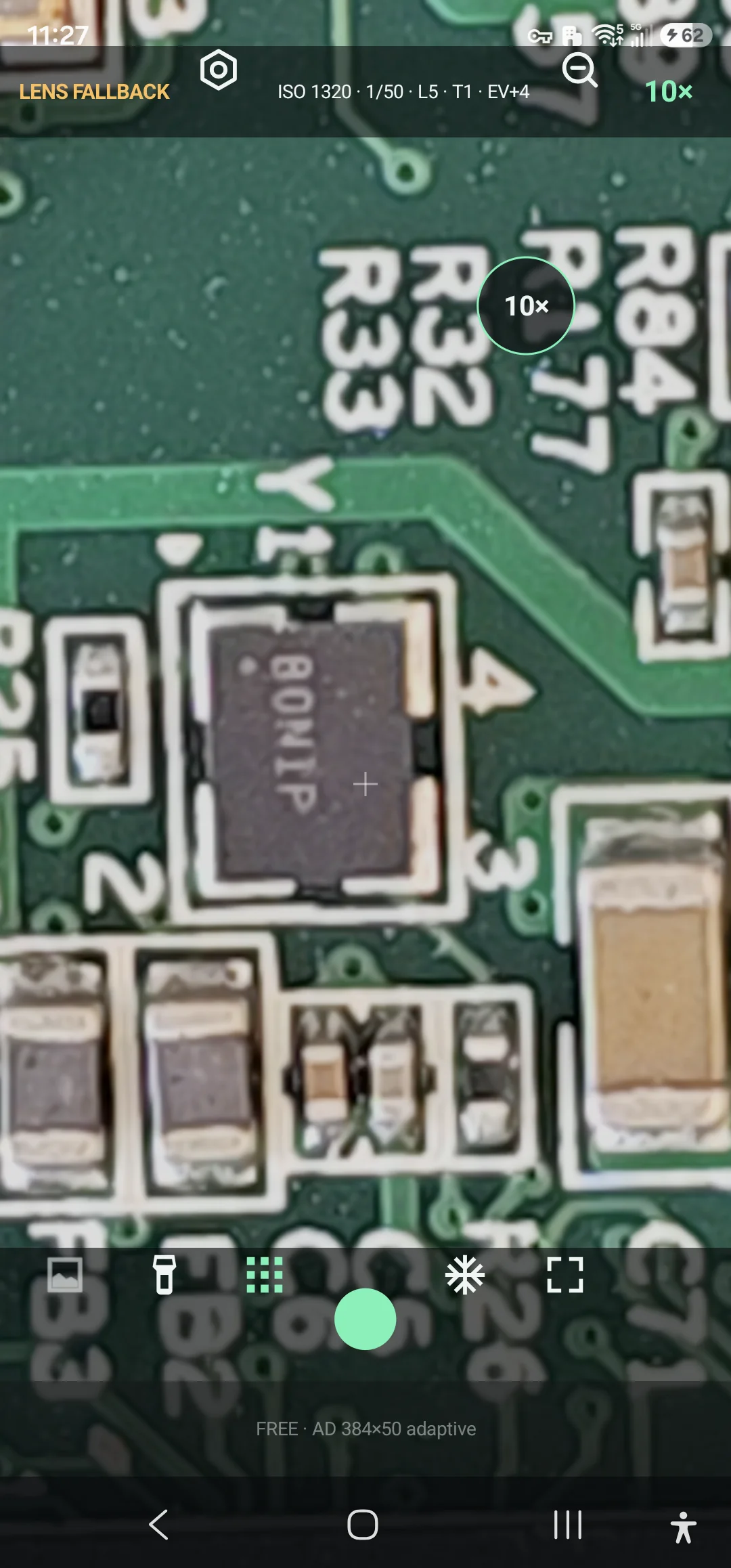
Actual 10× inspection view of a real PCB component on a Samsung Galaxy S23 Ultra
02 / Inspect

Inspect components at 10×

After the target is centered, the live 10× view exposes package markings, board traces and nearby surface-mount components without substituting a stock or generated image.

  • Tap the component to focus
  • Use exposure control for reflective solder and packages
  • Lens fallback remains visible when the active physical camera changes
Actual image-effects controls shown over a real PCB inspection view
03 / Enhance

Choose a reversible inspection view

The effects panel stays over the live PCB so you can compare the original view with anti-glare, clarity, silkscreen, negative and edge modes before capture.

  • Preview the effect on the real subject
  • Return to Original at any time
  • Save only after verifying the useful detail
Actual silkscreen effect highlighting a real PCB outline and markings
04 / Record

Freeze, save and review evidence

Freeze or capture the selected view, then save it to the Android media library for local review and deliberate sharing.

  • JPEG evidence in Pictures/X10Scope
  • Optional sensor DNG in the RAW subfolder
  • One-time Google Play purchase removes ads permanently

Important limits

An inspection aid, not a calibrated instrument.

Results depend on the phone camera, lens, support, lighting and subject motion. Measurements require user calibration and should not replace certified metrology or safety equipment.